Tests Passed. Production Is Different.
Part 2 of the Evaluation Series. Once a change ships, your test suite goes blind and the judge reports that all is well. Here is how a failure in production gets found, settled by a person, and turned into a test so it never ships twice.
Oct 9, 2026 · Upendra Bhandari · Evaluation
Part 1 ended with a gate holding a bad change back. But changes get through gates — a hotfix, an override, a case nobody wrote down. The question is what happens next.
The problem: the suite stops at the release
A test suite only knows the cases it was given. The moment a change ships, it is answering questions the suite has never seen, and the suite cannot tell you how that is going.
The usual fix is to point an LLM judge at production. That helps, but it inherits the judge's blind spot. Production answers that are correct but wrong for whatever consumes them still score perfectly, and the dashboard says all is well.
And when someone does notice, the fix lands without a test. The same failure is free to come back with the next change.
The solution: watch production, let a person decide, keep the lesson
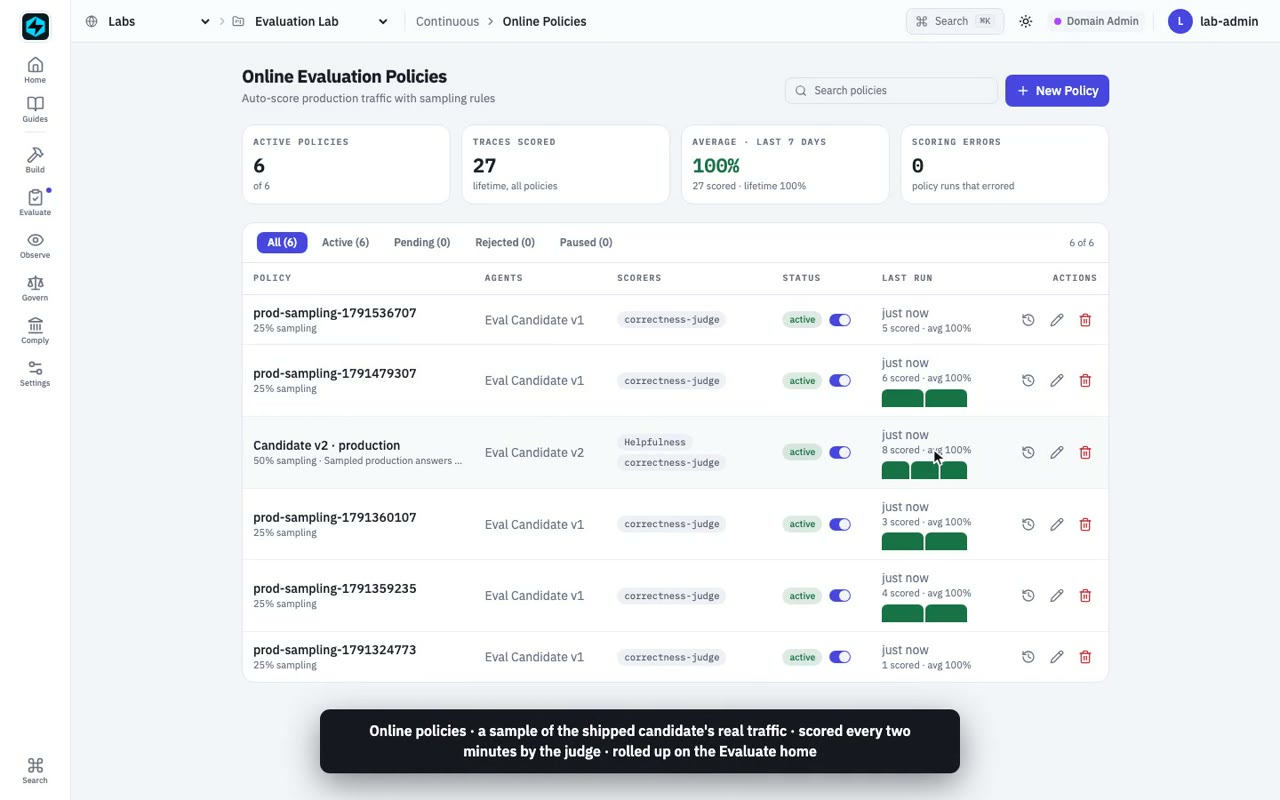
Online policies sample a shipped agent's real traffic and score it on a schedule, rolled up beside your offline runs.
When the judge says fine and something still looks off, the trace goes to a review queue. A person grades it blind, without the judge's score to lean on, and that verdict sits beside the judge's on the record.
Then the failure becomes a test: the question and its expected answer go into a regressions dataset, so every future candidate is measured against it in CI, before it ships.
Find it in production. Prove it in the suite. Never ship it twice.
Part 3 opens up the instruments themselves — including scorers that grade the route an agent took, not just the answer.
 {{ meta.author }}